
How it works
From photo to published post in a few minutes
Here is the whole way, step by step.
Sign in
Open shop-app.i3softwaresolutions.com and sign in with the email address and password of your shop’s account. We set up the account for your shop; ask us for one.
Connect your accounts
Go to Settings → Channels and click Connect next to Facebook Page, Instagram or TikTok. You log in on that platform’s own page, choose the Page or account and approve what the app may do. Channels then shows the connected account’s name.
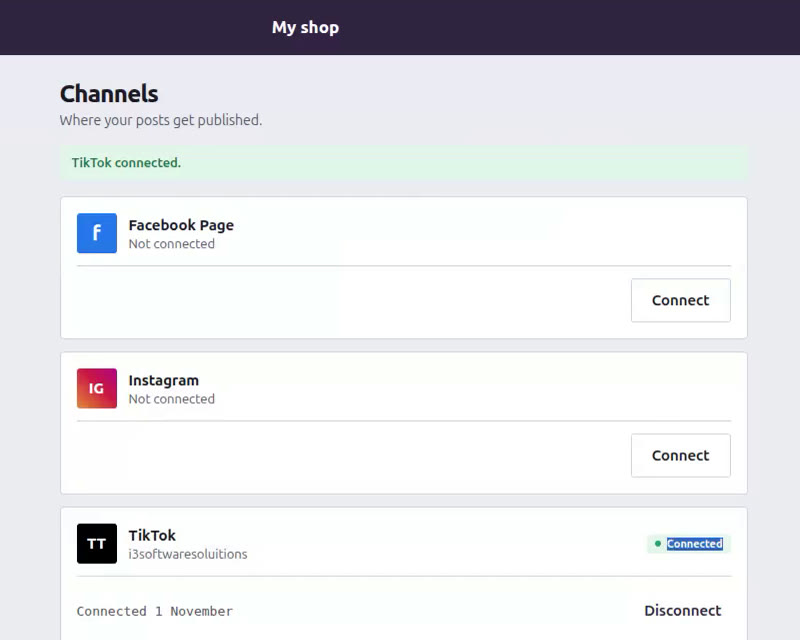
Channels shows which accounts are connected. Create a post
Go to Posts → New post. Choose a style, then make the post from Photos or My videos. Add names and prices to your photos if you like, choose the music, and write a caption or leave it empty.
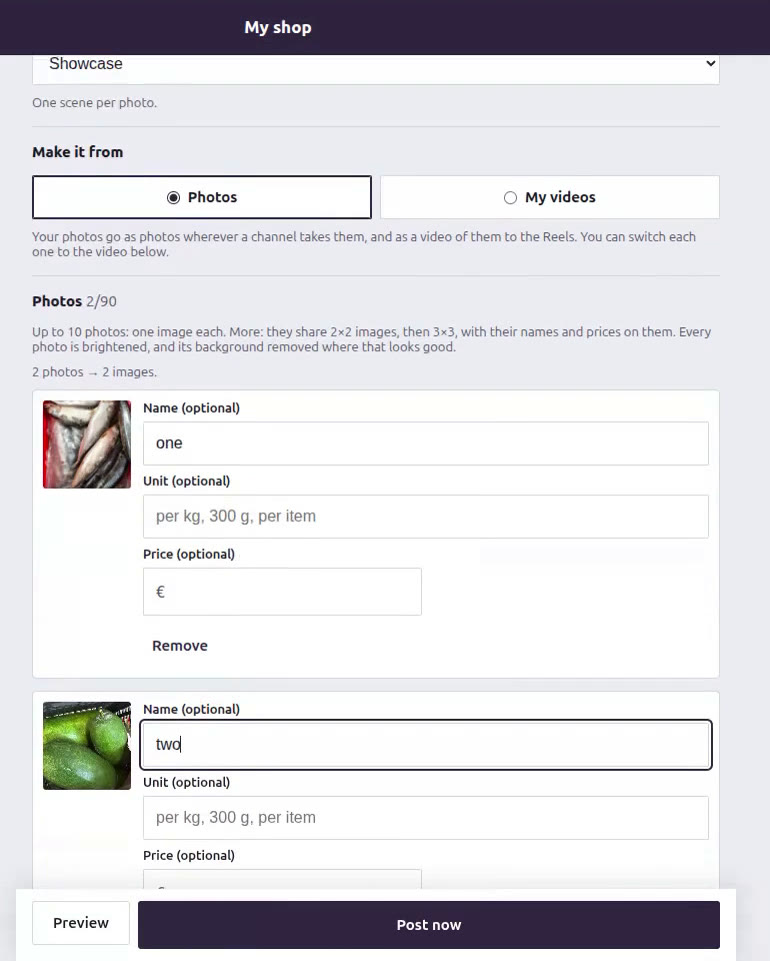
Your photos, each with an optional name, unit and price. Choose where and when
Under Post to, tick the accounts. Under When, choose Now or Later with a date and time. Click Preview to see it first, then Post now (or schedule it).
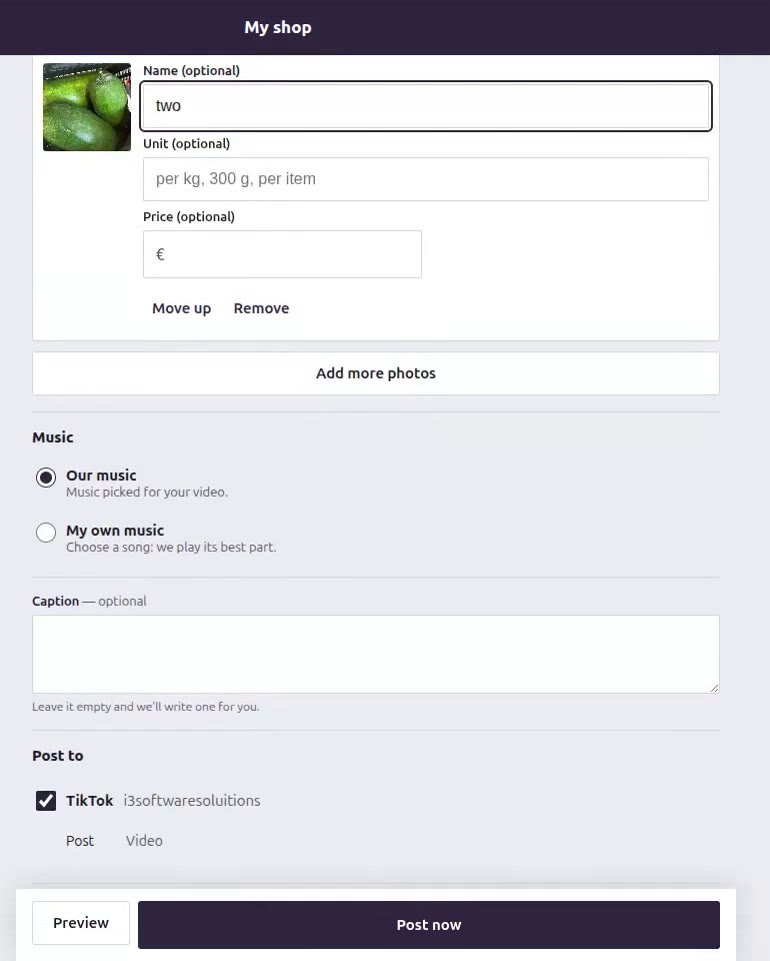
Pick the accounts and the time, then post. The app publishes it
The images and the video are made in about a minute. On Facebook and Instagram the post goes live, and the app shows a link to it. Each platform has its own status line on the post.
How TikTok works
Shop App by i3 never posts to your TikTok profile directly. When a post goes to TikTok, the video is uploaded to your TikTok inbox as a draft, and the post in the app shows In TikTok inbox.
- Open the TikTok app and go to Inbox → System notifications → TikTok Platform.
- Open the message “Your content from Shop App by i3 is ready”.
- Edit the video if you like: add a sound, text or effects, and your caption.
- Post it yourself, when you are happy with it.
We only use two TikTok permissions: your account’s name (user.info.basic), to show which account is connected,
and uploading drafts (video.upload).
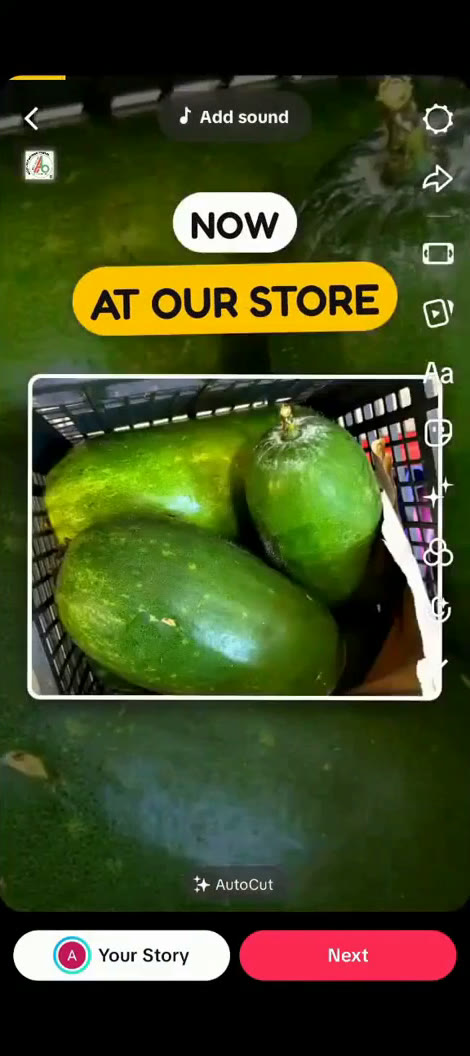
Disconnect at any time
On Settings → Channels, Disconnect stops the app from using that account at once, including for scheduled posts. For TikTok it also revokes our access on TikTok’s side. To have all your data deleted, see Data deletion.
Want Shop App by i3 for your shop?
We set up an account for your shop and help you connect your Facebook Page, Instagram and TikTok accounts.